What I've shipped
Every change to Cloudbase, newest first, written for the person using it. Most weeks there's something. When a week is all plumbing, I say that too.Every change to Cloudbase, newest first. Most weeks there's something.
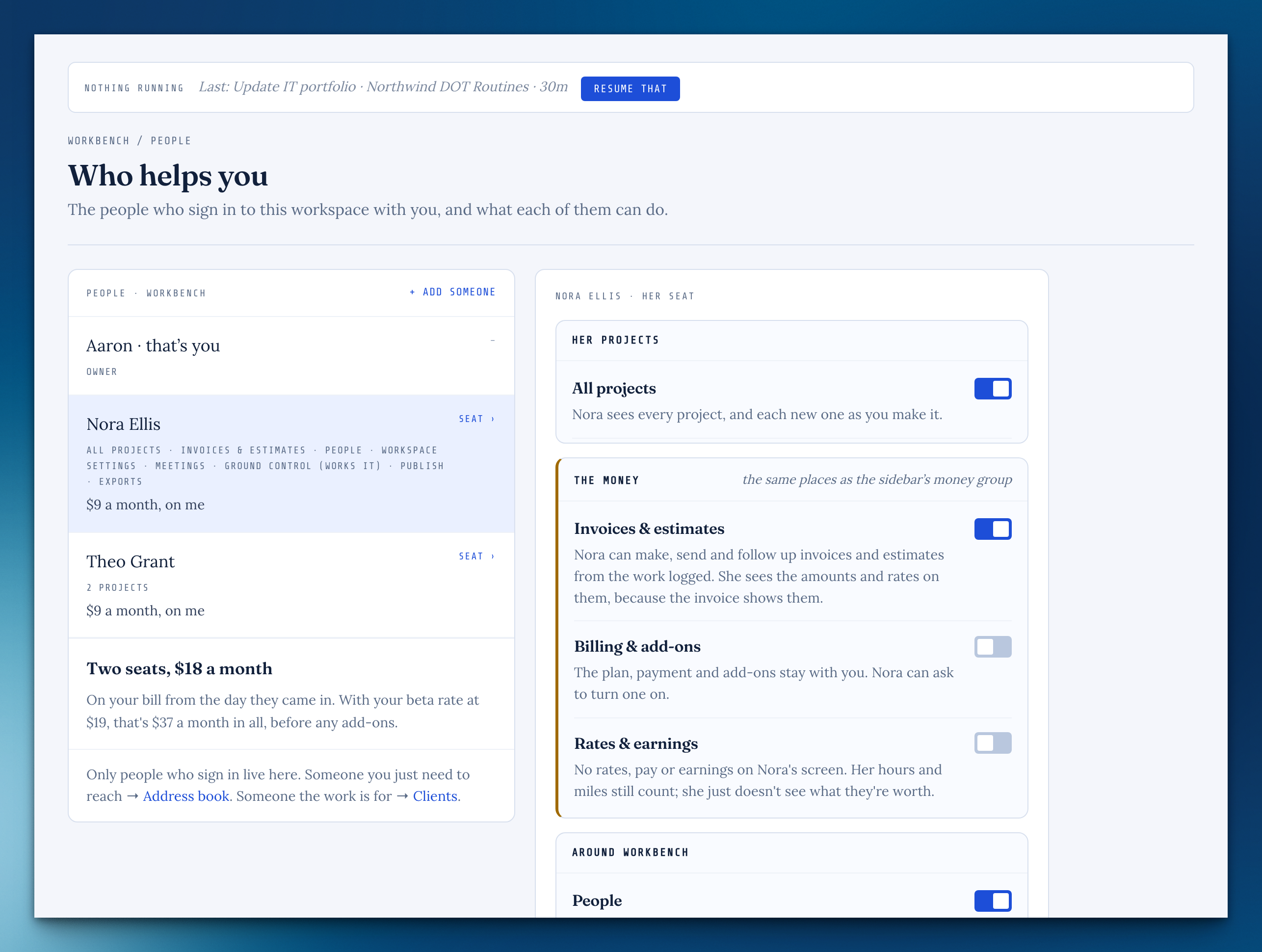
Everyone on your workspace now has a seat with plain switches: the projects they're given, and what they can do — invoices, people, settings, meetings, exports and more — each with one sentence saying exactly what it means. Their own corner stays theirs, and asking you for more is always one tap.
A seat's switches
On People, each seat has its projects and a switch per capability, with one sentence under each that says what turning it on or off means.
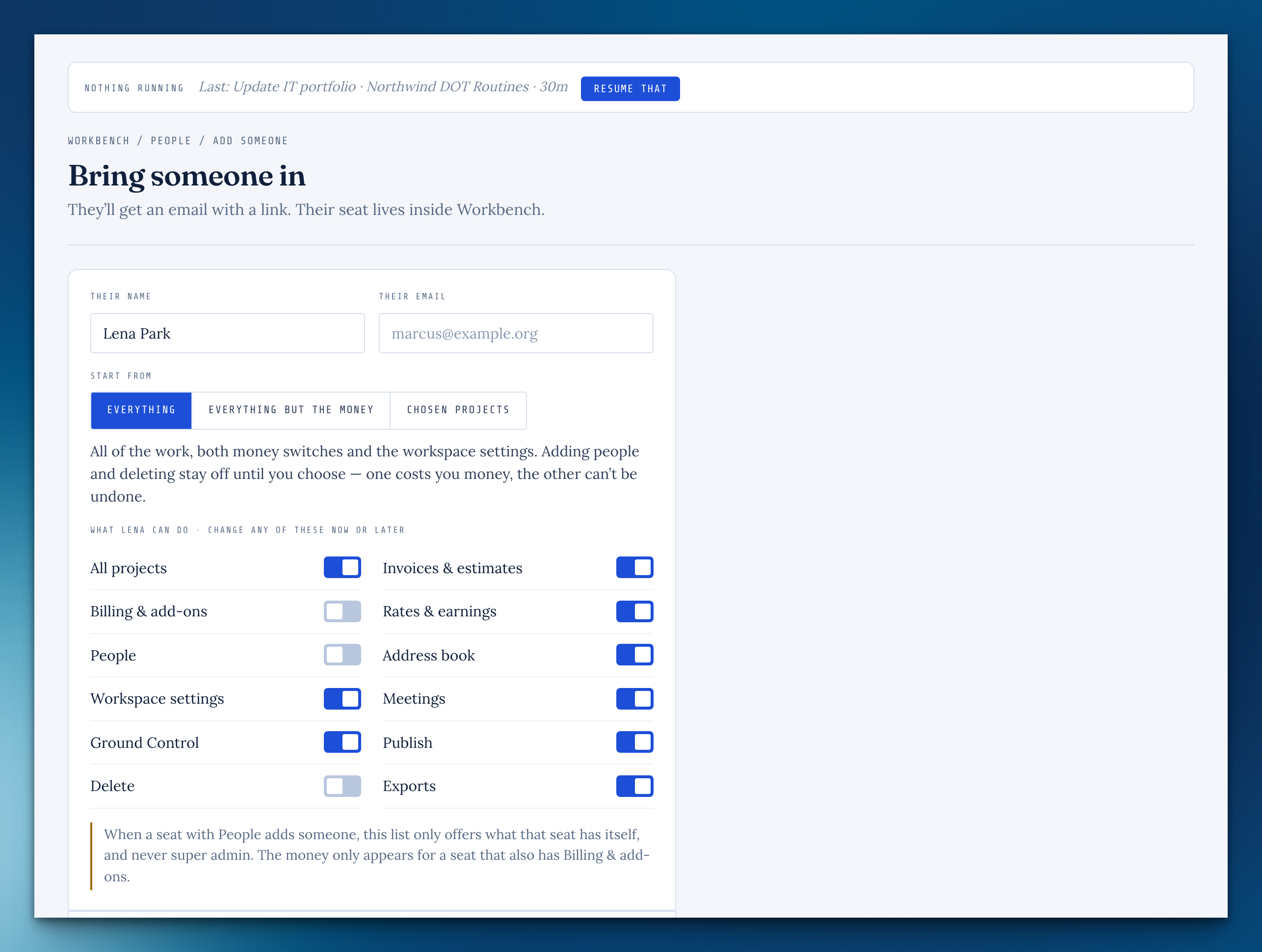
Bring someone in
Start from Everything, Everything but the money, or Chosen projects, then change any switch before you send.
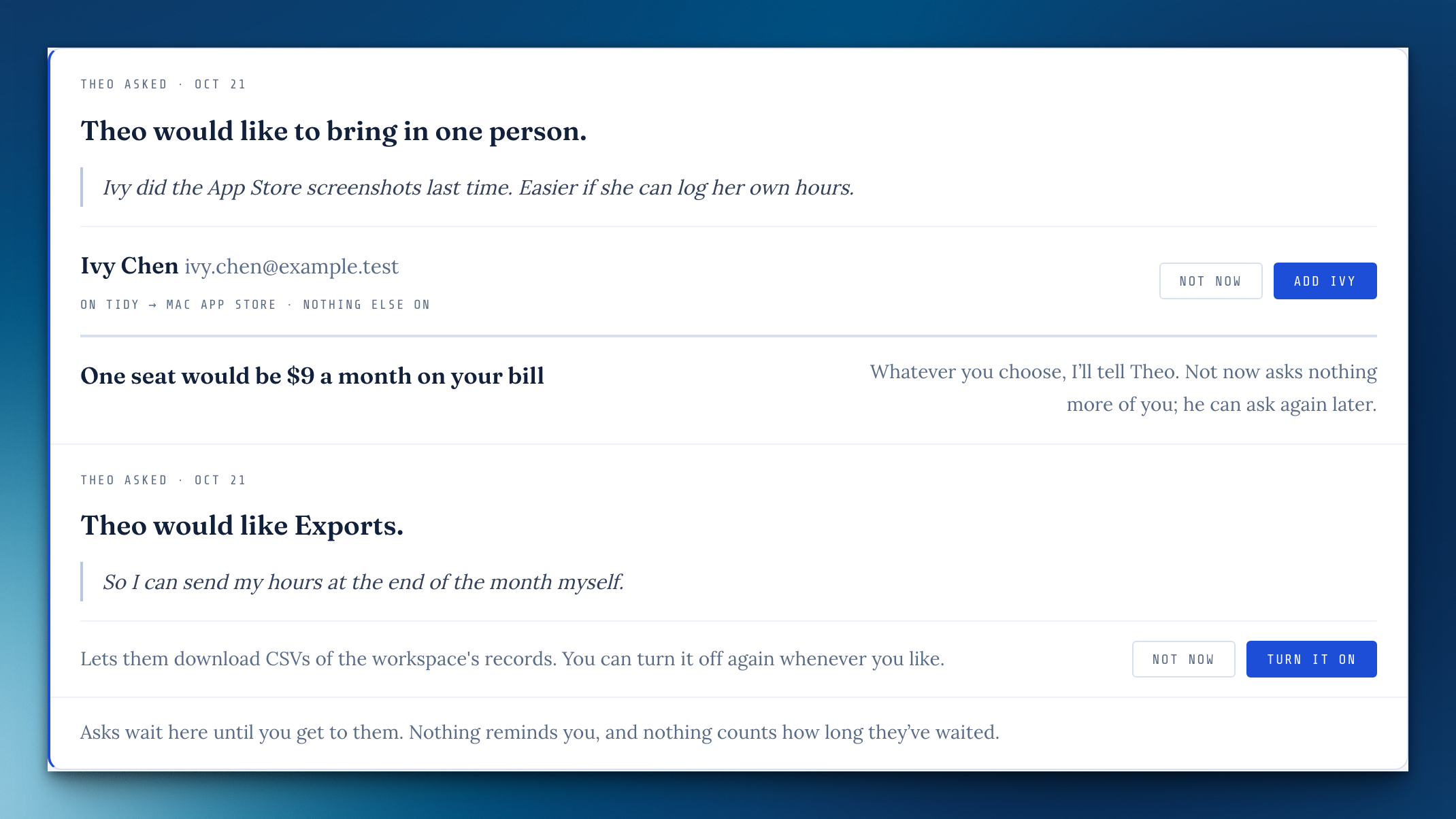
Ask the owner
Someone without People can ask you to bring a person in, or ask for a capability.
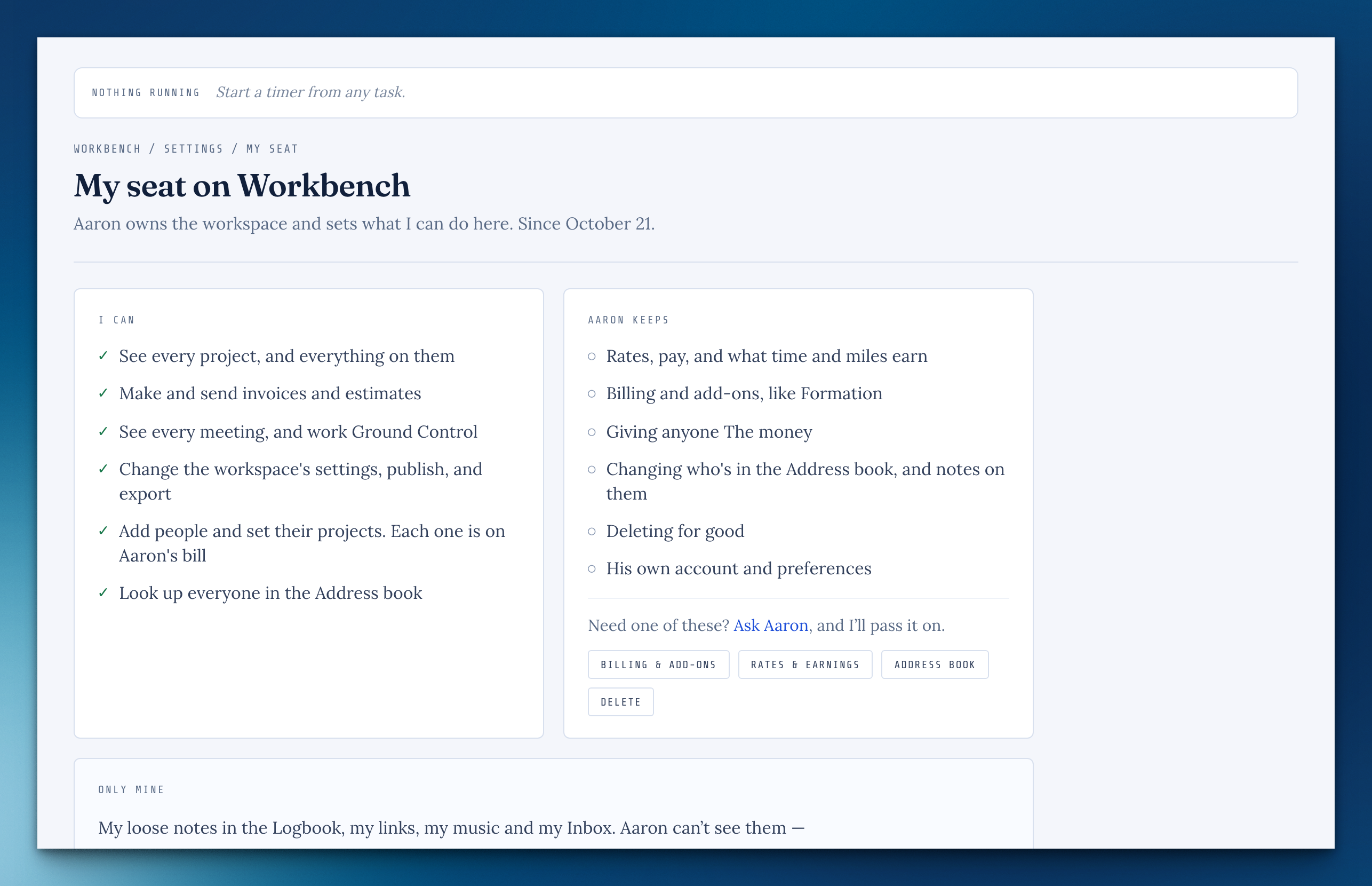
My seat
Settings › My seat says in plain sentences what you can do here, what the owner keeps, and what's only yours.
Super admin
One switch for everything above, billing included.
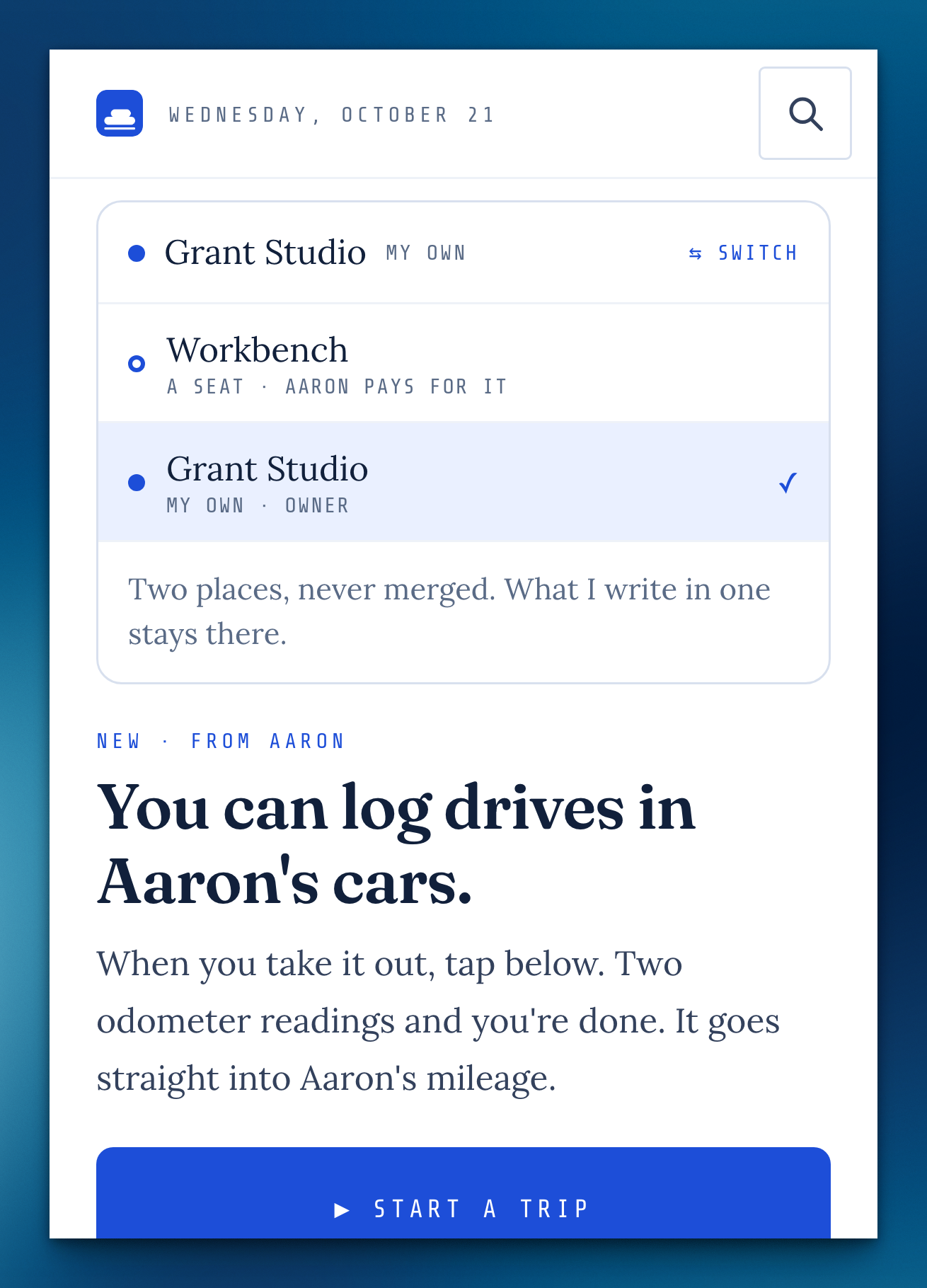
Two places, one menu
With your own Cloudbase and a seat on someone else's, both are in the menu under your name, kept apart.
The Address book, for everyone
Every seat can look up the people on its own projects.
A private corner that stays private
Loose notes, links, music and Inbox are only their writer's, the owner included, until filed onto a project.
Ending a seat
The owner chooses whether the person's private corner goes with them or is deleted unread, and sees only counts, never titles.
Accepting an invite
Someone new gets a seat in your workspace and nothing else, with no separate workspace made on the side.
A kinder "not here"
A page that isn't part of your seat says so inside the app, with a way back and Ask the owner when a switch would open it.
Add it, on the Scratchpad
The box at the top of the Logbook has an Add it button (or ⌘↩) that drops the note into the stream and clears the box, and it grows as you write.
The money stays with Rates & earnings
Without it, no dollar figures show on Time, Mileage or in exports.
A seat only reaches what it's given
Every room, list, search and ⌘K now checks one set of rules, so nothing slips past by address.
Starting a timer from the phone
The drive timer only starts on a project you can reach, and only stops your own.
With a seat on someone else's workspace, you now have your own Inbox, notebook and links right there, private to you until you attach them to a project. You can file what you catch into the projects you're on, search keeps everyone's loose notes to themselves, and a seat that ends tells you where you stand.
Your own corner of a shared workspace
With a seat on someone's workspace, your Inbox, notebook and links sit in your sidebar there, private to you until you attach something to a project.
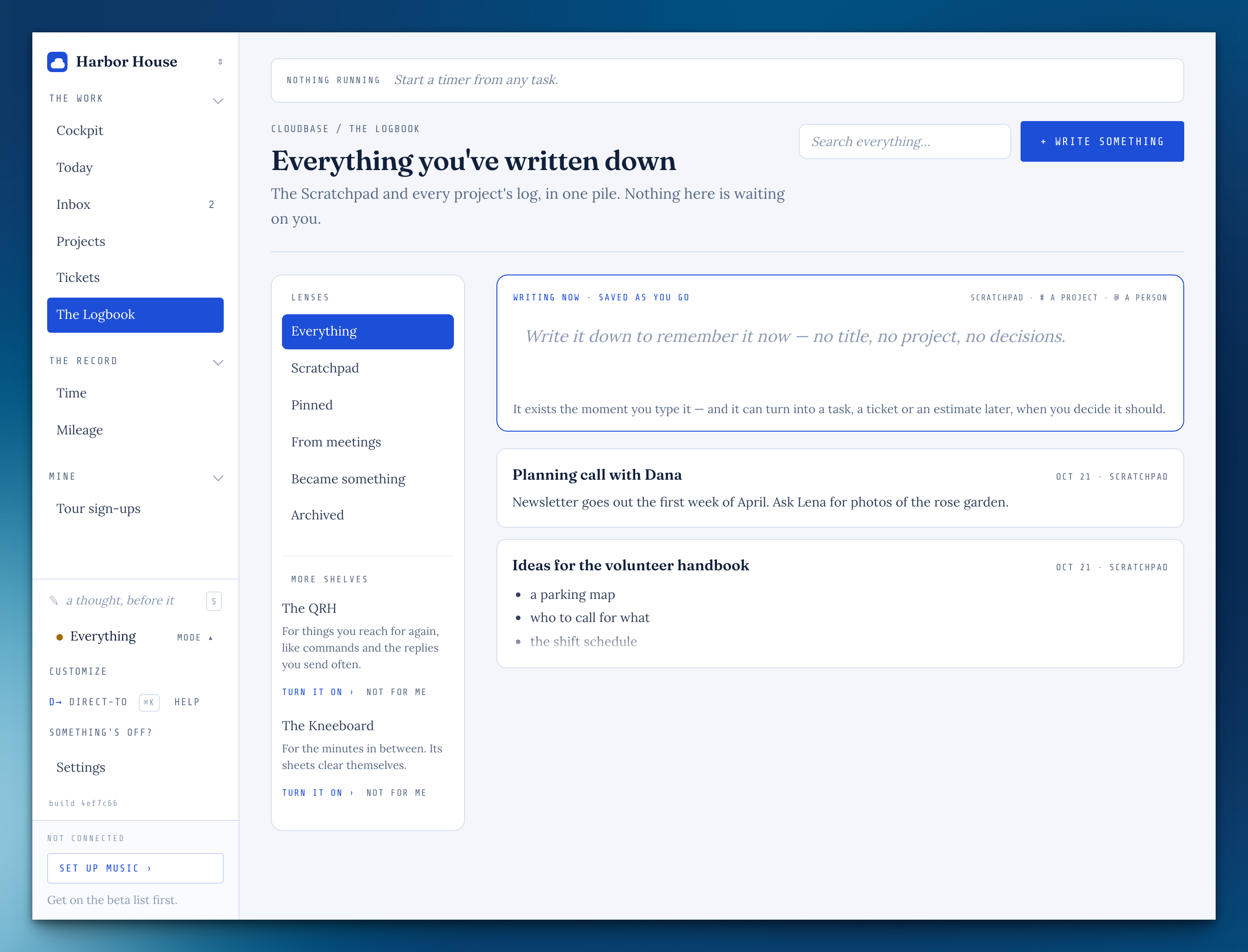
Your Inbox is yours
What someone with a seat on your workspace quick-adds goes to their Inbox, not yours, until they file it under a project.
Adding people, when it isn't your workspace
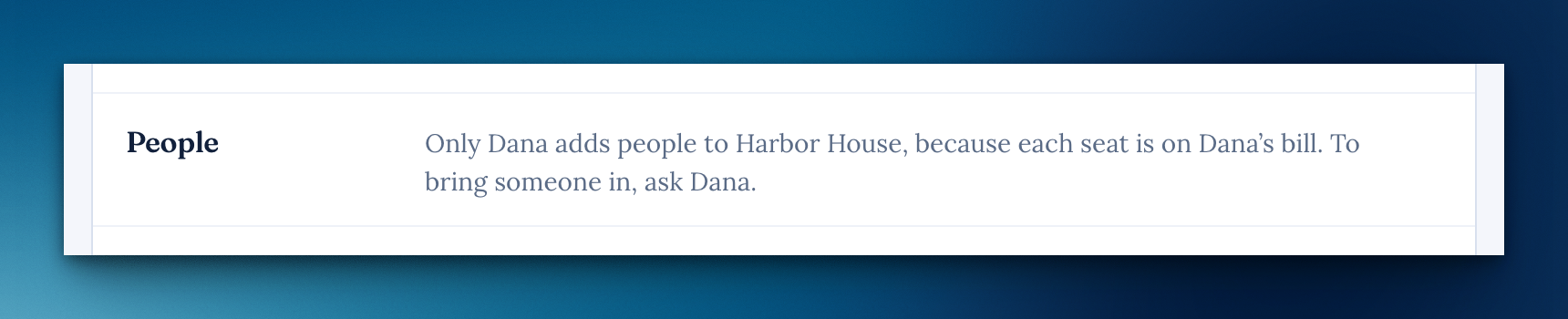
With a seat on someone else's workspace, Settings says plainly that only the owner adds people, because each seat is on their bill.
When your seat ends
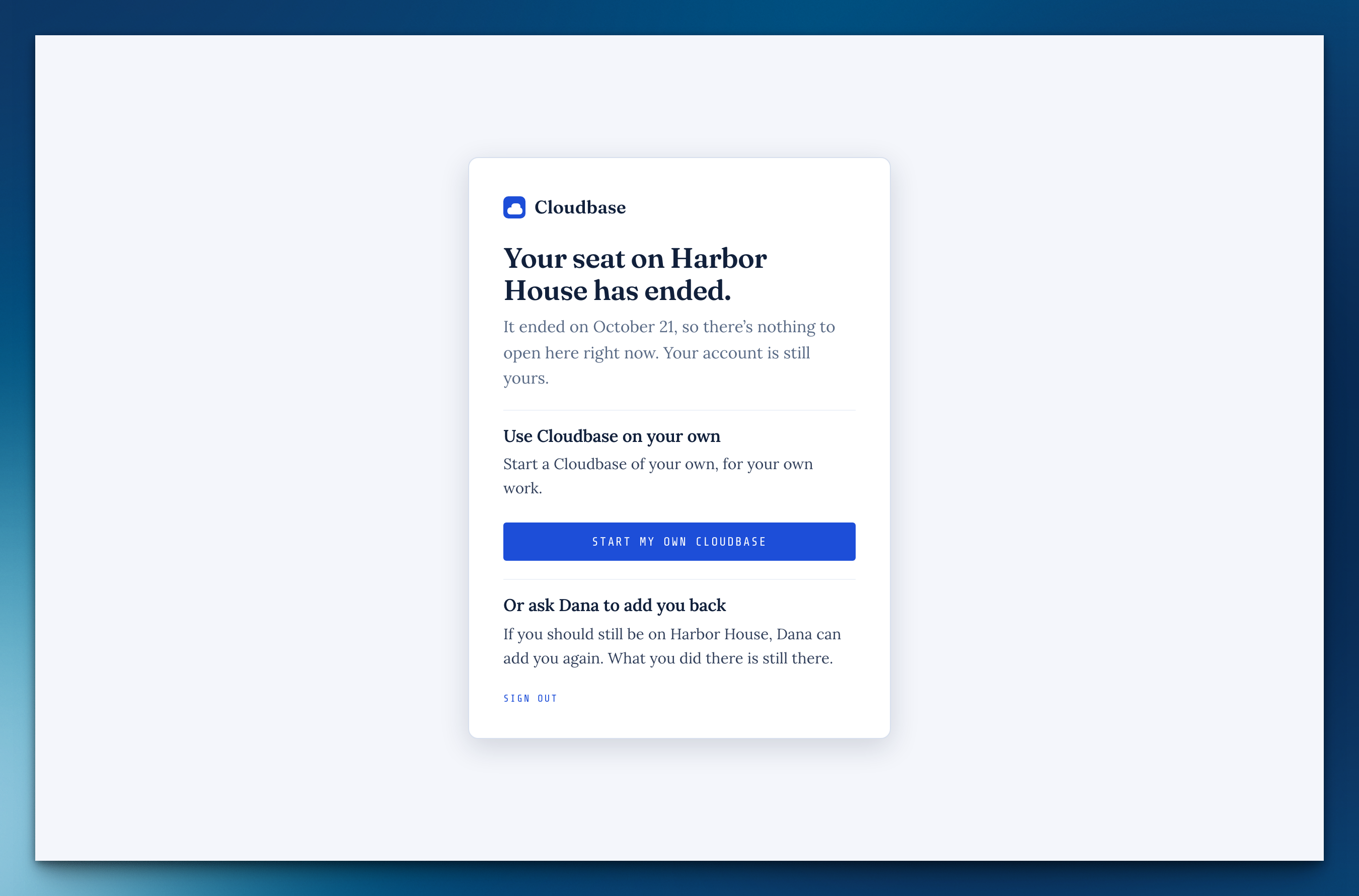
If your only seat ends, signing in tells you which one and lets you start a Cloudbase of your own or ask the owner to add you back.
Paste a list with its details
In a project's add box, lines indented under a task become that task's notes, kept as written.
Free time sits where you'd fill it
In Parts, the free time before something reads "54m free — drag one here." right where you'd drag it, and a part with a length works just like a meeting.
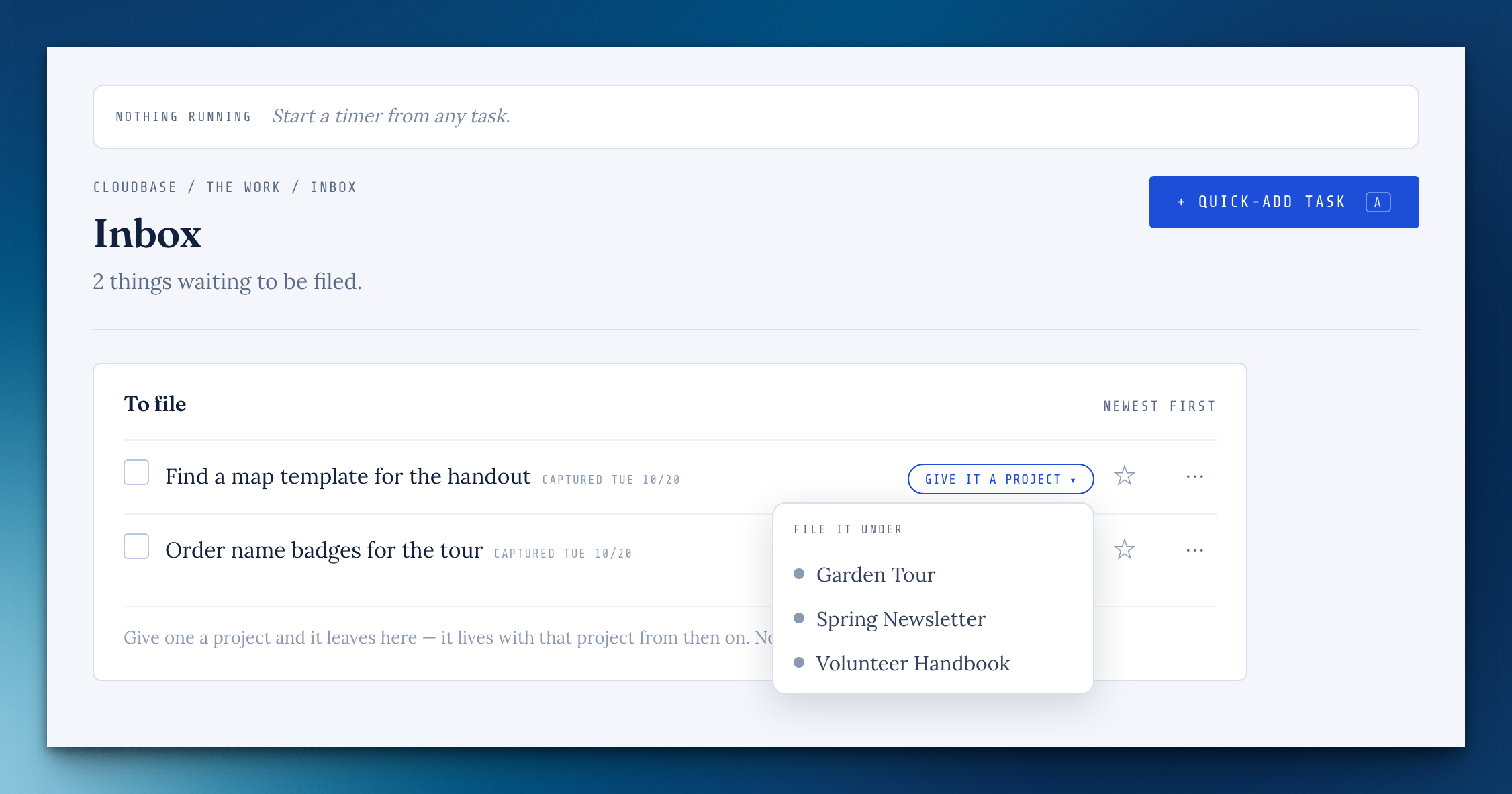
File an Inbox task into a project shared with youFrom beta feedback
"Give it a project" now lists the projects shared with you, and filing moves the task and its notes there.
Search keeps loose notes private
Search no longer shows anyone else's loose notes or tasks in a shared workspace; a note shows for others once it's on a project they can see.
Switching modes from Direct-to switches everything
The sidebar and the warmer paper now follow a mode however you switch to it.
The passkey button never waits forever
After your computer sleeps, a stalled passkey unlock gives up after 30 seconds and offers your password.### Changed
A batch of fixes for things that wouldn't stay put. A mode you switch to now holds, your passkey opens the lock on the first try, and "No time" answers the closed-task question for good. Typing keeps up even with a password manager's extension on. A part of your day can now have a length, and Direct-to shows you each paper before you choose one.
A part of your day can have a length
When you add a part of the day, you can now say how long it takes: "Bloodwork, at 10:15 for 1 hour".
That's my day takes you to your Cockpit
Once your day is planned, you land back on the Cockpit with your day on it.
Direct-to opens in the middle of the screen
It used to sit near the top.
See a paper before you pick it
In Direct-to, moving down the Paper list dresses the box in each paper as you go.
Picking from the waiting list keeps it open
On Plan Today, picking something you're waiting on closed the list behind it, so picking three meant opening it three times.
A mode you pick stays picked
Switching to a mode like Off-hours could quietly come undone a moment later: the sidebar still named the mode, but the page went back to showing everything, work clients included.
Your passkey opens the lock on the first try
After some time away, the passkey could fail and send you to your password instead.
Typing keeps up in Log time, Quick-add and Direct-to
With a password manager's browser extension on, these boxes could lag behind your typing.
"No time" is an answer
"You closed this — how long was that?" now offers No time in place of Not now, and it sticks: that task or ticket is never asked about again.
Try it now works in the mode editor
Try it now and Save did nothing on a mode's page.
Direct-to keeps the paper you picked
A tab you reopened, or a page you came back to, could show Direct-to in the paper it had before you changed it.
The shelf remembers where you put it
Moving or resizing a note you've set aside could fail quietly on some screens, so it didn't stay where you left it.
Pictures you upload look the way you took them
Location and camera details are still removed, but a phone photo now stays the right way up, screenshots keep their exact colors (some came out black or slightly off), and photos keep their sharpness instead of being softened when saved.
Missing something, or found something off? It reaches me directly.
⟩ Write to Aaron